Enterprise Edit · Grass Valley Framelight X
Manage the edit. Connect the workflow.
Scalable Adobe Premiere project and workflow management for fast-turnaround production environments, integrated with Grass Valley Framelight X.
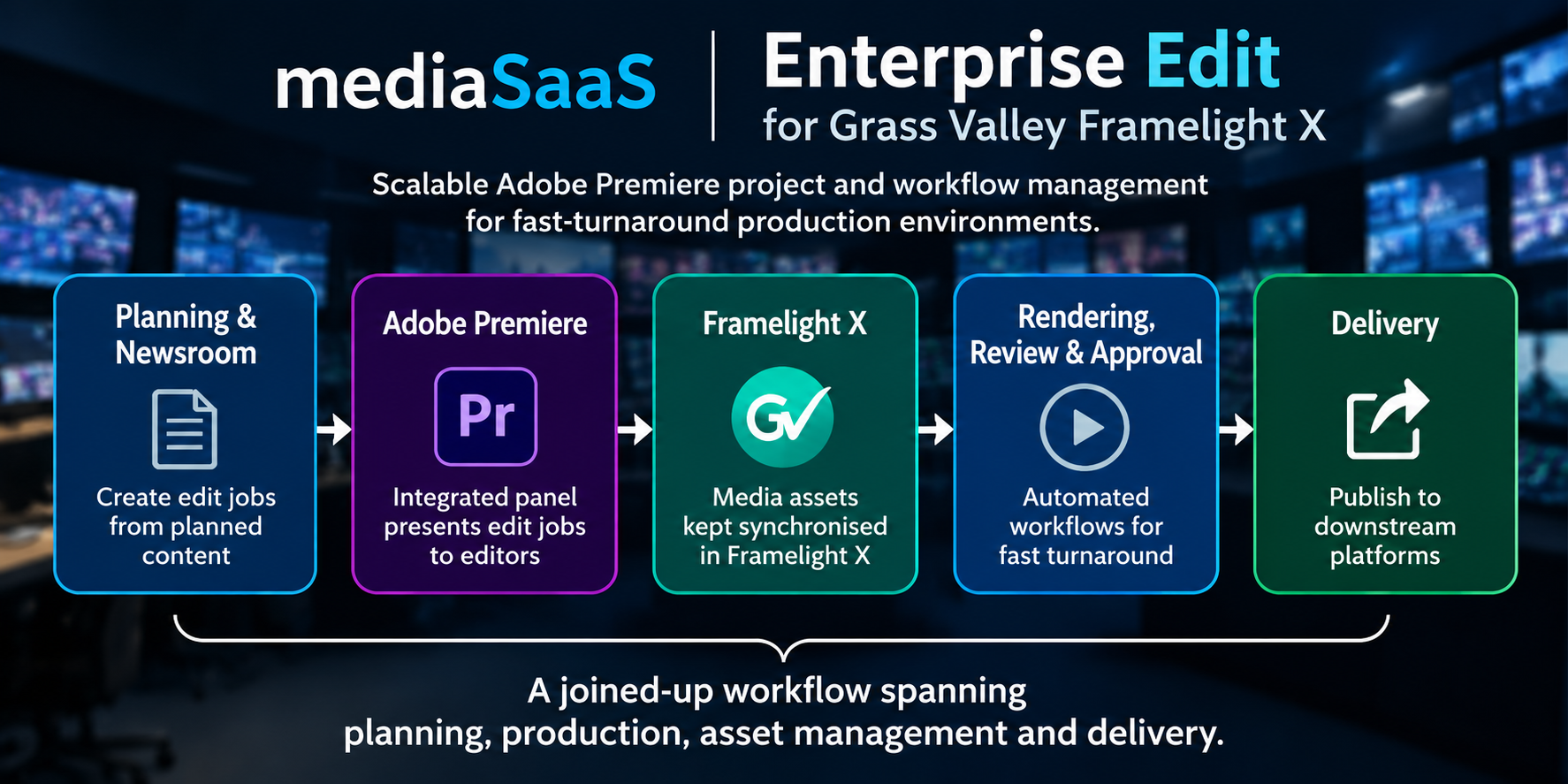
Connected production
From planning to delivery
Keep edit projects, production information and media assets connected throughout the production lifecycle.
Project management
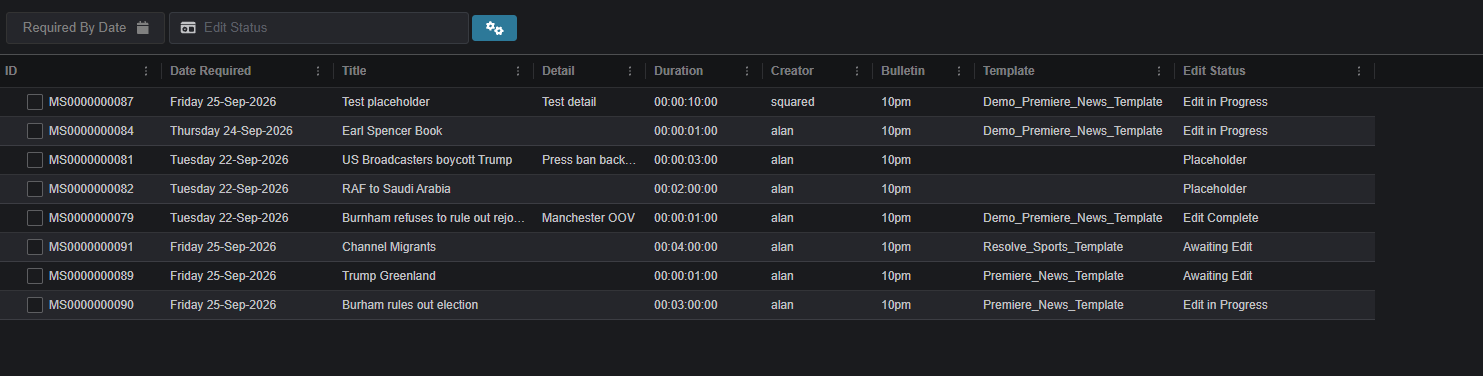
Put edit jobs in front of editors
Create edit jobs manually or bring placeholders and production information in from newsroom and planning platforms such as Mediagenix WHATS’ON.
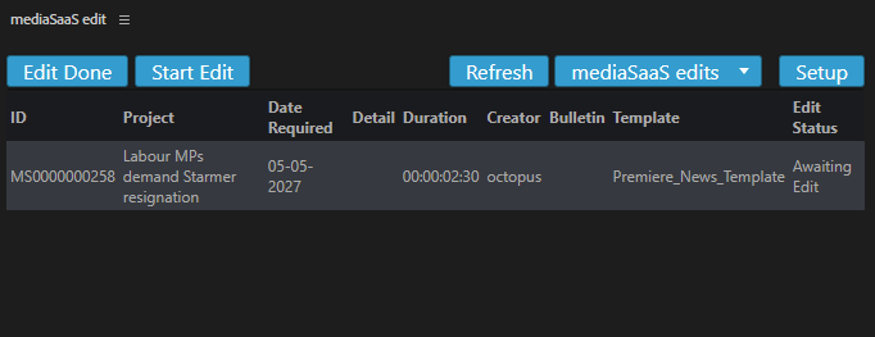
An integrated Adobe Premiere panel lets editors view assigned jobs and production information, update job status and open the required project directly in Premiere.
Framelight X integration
Assets and edit projects in sync
Grass Valley Framelight X manages media assets while Enterprise Edit manages edit projects and their lifecycle. The two platforms exchange information to support a connected workflow.
Additional workflows can automate rendering, review and approval, completed-content registration, updates to connected systems and downstream delivery.
Key capabilities
Built around the edit lifecycle
Connect planned content with production jobs.
Centralise edit project templates.
Coordinate jobs across editors and workstations.
See project status and progress.
Manage revisions and versions.
Track completed renders.
Register completed edits in Framelight X.
Initiate re-edit requests from Framelight X.
Let's talk workflows
See how Enterprise Edit fits your environment.
Discuss your newsroom, editing and asset-management requirements with mediaSaaS.